Two lines, one glance
The original subtitle sits right above your translation. You follow the story and still hear how it was really said.
 New in 5.9 — control it all from the YouTube player
Mono Translate Pro puts the original line and your translation together on the video. Professional Translation reads the scene around each line — who is speaking, what just happened, the joke from three lines ago — so the subtitles flow from one line to the next.

What is Mono Translate Pro?
Install it once. Every video with captions can now play in your language, with the original line still on screen.
The original subtitle sits right above your translation. You follow the story and still hear how it was really said.
Professional Translation looks at the scene, the speakers and the lines around each subtitle before it chooses a single word.
Save a line, replay the real voice and practise it in Mono Workspace — same video, same moment.
Professional Translation
Most tools translate each subtitle on its own, like a word list. Professional Translation reads the conversation first, then writes the translation — that is why it lives in Mono Pro.
Fast Translation is still there when you only need the gist — instant, with nothing to set up.
Each line translated on its own.Translated as one conversation, with the scene in mind.
Your Gemini key
Professional Translation runs on Google Gemini through your own API key. Creating one takes about a minute in Google AI Studio and costs nothing.
Sign in to Google AI Studio and press “Create API key”. The free tier needs no credit card.
Mono saves the key in your Chrome profile and connects by itself. Close the browser, come back tomorrow — still connected.
Connected
Each Gemini model has its own daily free allowance. When one runs out, Mono moves to the next available model on its own, so a long video keeps going.
Google sets the free limits and may change them. Mono never charges for Google usage — your plan pays for the software, not for translation minutes. How to get your key
Subtitle style
Choose the font, size, colour, outline, shadow, background and how each line appears. The original and the translation are styled separately — the way an editor would do it in a video app.

Player Dock
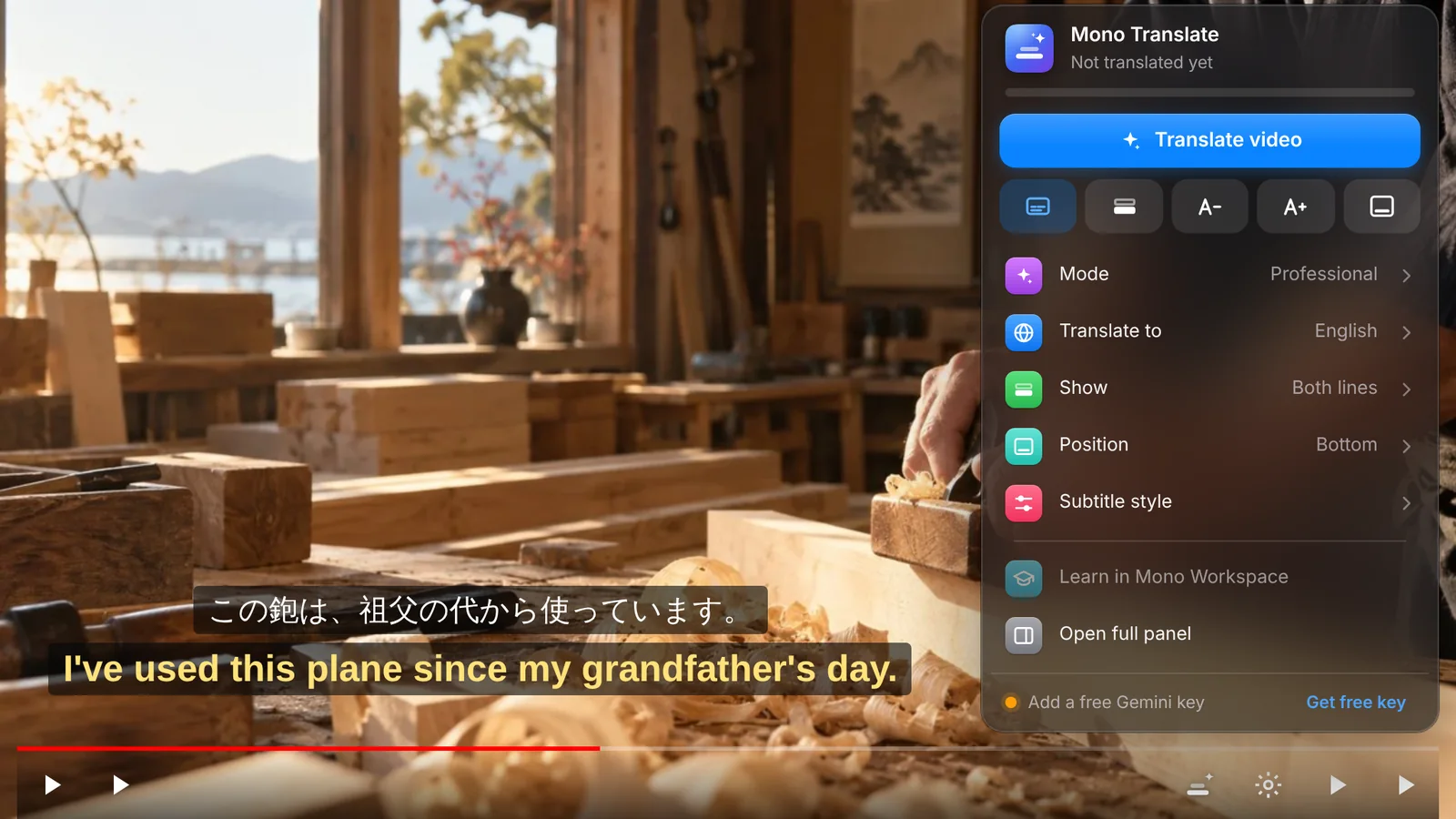
Press the Mono button next to YouTube's own controls. Translate, switch languages, choose what's on screen or restyle the subtitles — even in full screen.
Side panel
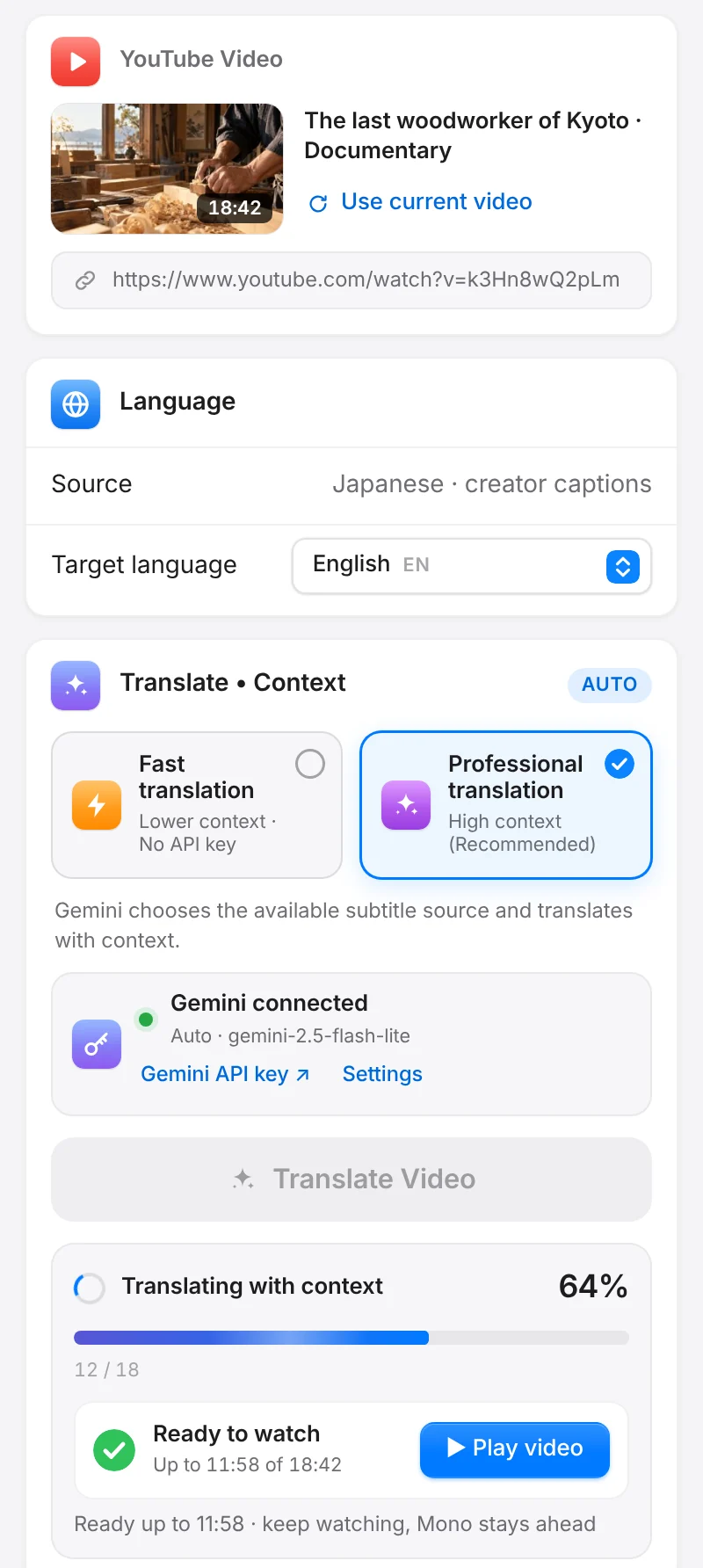
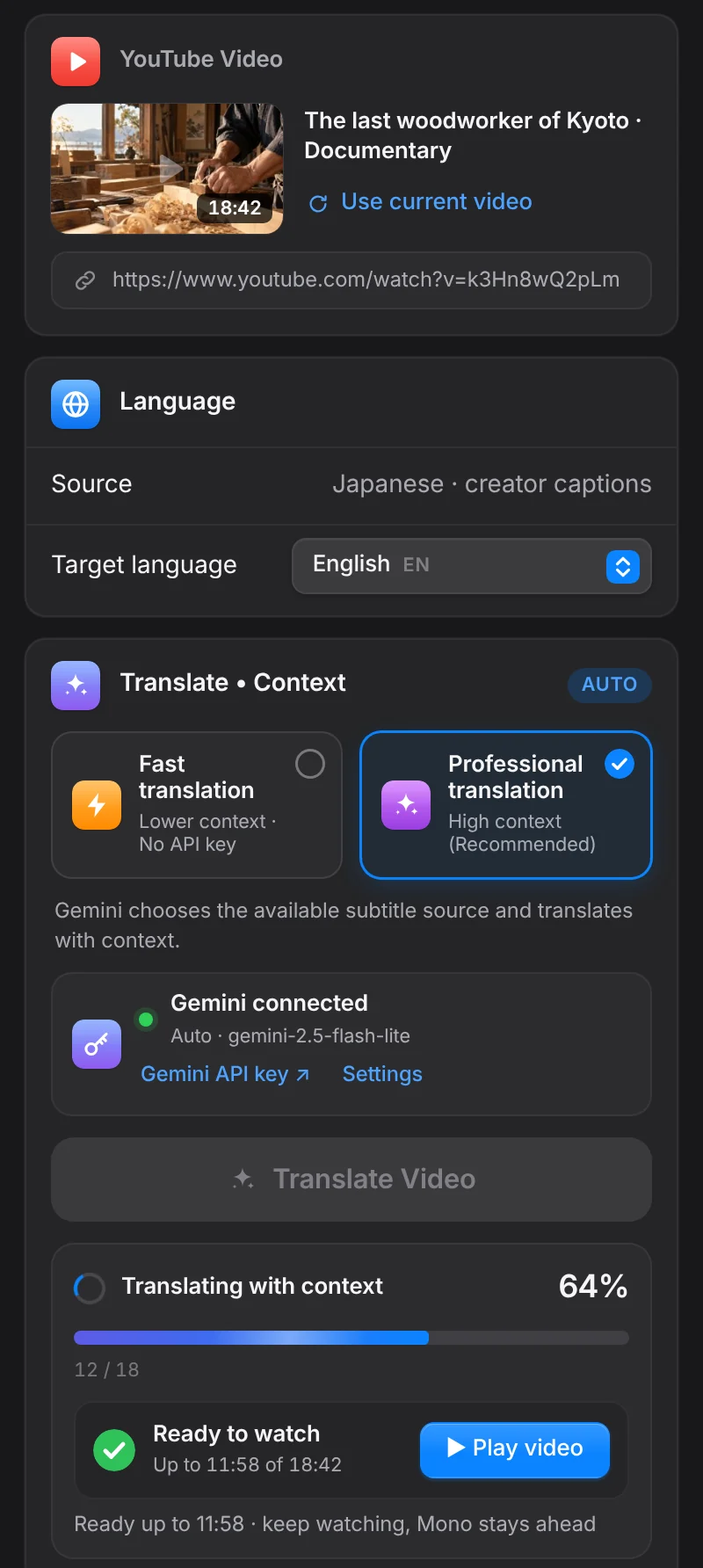
The side panel follows your system's light or dark mode and shows each step clearly — no guessing, no spinning in the dark.
Mono Workspace
When a line is worth learning, take it to Mono Workspace — a map with three stops for one video moment.
Getting started
Install it from the Chrome Web Store and pin it to your toolbar.
Chrome Web StoreSign up here. Your 3-day Pro trial starts and syncs to the extension by itself.
Create accountCreate it in Google AI Studio and paste it into Mono once.
Show me howPick Professional Translation and watch with both lines.
See the guidePricing
Pro pays for the software — the extension, Professional Translation, Mono Workspace and every update. The translation itself runs on your free Gemini allowance from Google.
Free
Every Pro feature, no card needed
$8/ month
Flexible, cancel renewal anytime
$59/ year
Just $4.92 a month
Prices in USDSecure checkout by Dodo PaymentsCancel renewal anytime
Questions
A Chrome extension that shows the original YouTube subtitle and a translation together, right on the video. With Professional Translation it reads the scene around each line, so the translation sounds natural and stays consistent from start to finish. When you want to learn from a video, Mono Workspace keeps the lines you save.
Instead of translating each subtitle on its own, Mono first reads a stretch of the conversation. It works out who is speaking, how they address each other, what kind of video it is and which names or terms keep coming back. Then it translates — so jokes land, sentences split across two subtitles read as one, and a character who says “you” casually doesn't suddenly turn formal.
Because it is the part of Mono that takes real work to build and keep improving: reading context, keeping names and forms of address consistent, adapting to each genre and each of the 27 languages, and handling long videos without stopping. Pro funds that work. The translation itself runs on your own free Gemini key, so you are never paying per minute.
Yes. You create it yourself in Google AI Studio with your Google account, and the free tier needs no credit card. Google gives each key a daily free allowance, which is enough for a lot of viewing. Google decides those limits and can change them.
Each Gemini model has its own allowance. When one model runs out, Mono switches to the next available model automatically and keeps translating. If every model is used up for the day, Mono tells you clearly and continues once Google resets the allowance.
Completely. For the original and the translation separately, you can choose the font, size, weight, colour, outline, shadow and background, where the lines sit on the screen, and how each new line appears. The goal is subtitles that look like they were finished in a video editor — not text pasted on top.
Same features. Monthly is $8 a month. Annual is $59 a year, which works out to $4.92 a month and saves you $37 compared with paying monthly. Prices are in USD.
Add Mono to Chrome, open a video, and let the subtitles do the rest.