MonoTranslatePro 5.9.9 is here: free access through 7 November
Hello, everyone! Version 5.9.9 is now on the Chrome Web Store. To give you more time to explore it, we are offering free extension access for one month.
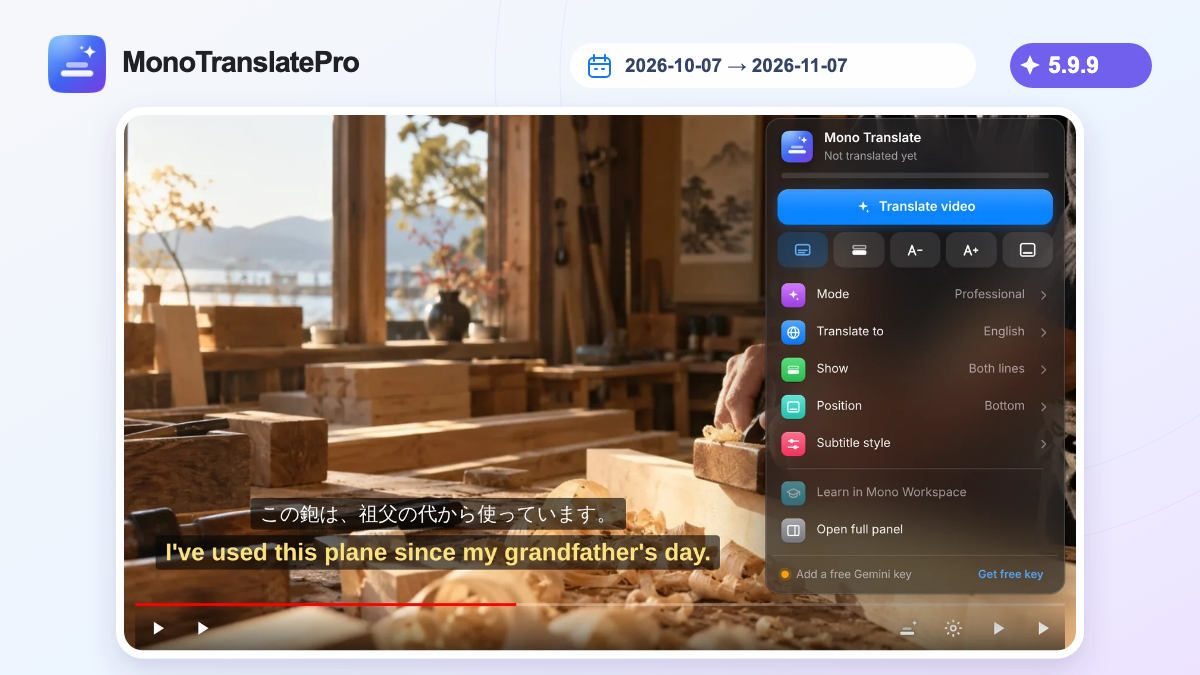
- Version 5.9.9 is available on the Chrome Web Store.
- Free extension access from 7 October through 7 November 2026, without signing in to Mono.
- An improved Professional Translation workflow with automatic Gemini model switching when needed.
In this article
Hello, version 5.9.9!
Hello, everyone! MonoTranslatePro has just released version 5.9.9 on the Chrome Web Store. Thank you for watching, learning and sharing your experiences with us.
A month to explore, free of charge
We want more people to experience the extension, so we are offering it free from 7 October through 7 November 2026, inclusive, in Vietnam time (UTC+7). During this period, you can install and use the extension without registering or signing in to a Mono account.
A smoother Professional Translation workflow
This release brings new features and a more streamlined Professional Translation workflow. We have also improved how Mono works with the free Gemini API tier: it automatically switches Gemini models when needed, helping translation continue more smoothly.
How to get started
Install the extension from the Chrome Web Store, then try it on a YouTube video with captions. Start with a short clip you enjoy:
Fast Translation does not require a Gemini key. For Professional Translation, enter your own Gemini API key once in the same Chrome profile. Mono saves it for subsequent use and selects an available model when needed.
- Install MonoTranslatePro 5.9.9 using the official store link below.
- Open a YouTube video with captions, choose your target language and translation mode, then start translating.
- Show the original subtitles alongside the translation and adjust their appearance for comfortable reading.
Tell us what you think
If MonoTranslatePro helps you understand a video or learn something new, please share your feedback or leave an honest review on the Chrome Web Store. Tell us what works well and what could be better. Thank you for giving it a try!
Keep this in mind
See you in your next video. Enjoy exploring version 5.9.9 during this free access period!
Learn more from official sources

The MonoTranslatePro team shares extension guides and ways to learn from real videos.